Step-by-step guide for examinees on completing the CB-NATG12 — from login to submission.
DepEd – BEA – EAD | SY 2025 – 2026
Start TutorialThis guide walks you through the entire CB-NATG12 process — from logging in, filling out the General Information Form, completing the 4 Core Learning Area exams, to submitting the Learner's Questionnaire.
Important instructions for the TA and SICTC to ensure fair and standardized test administration.
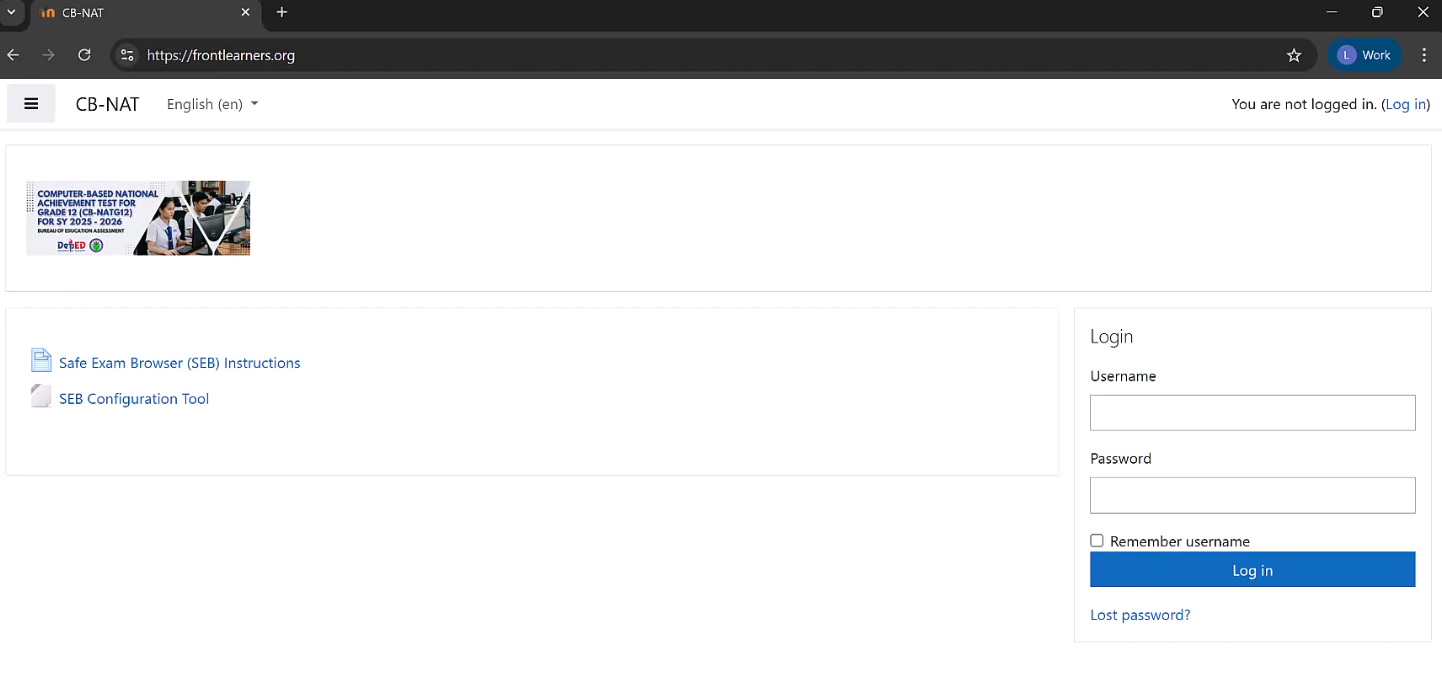
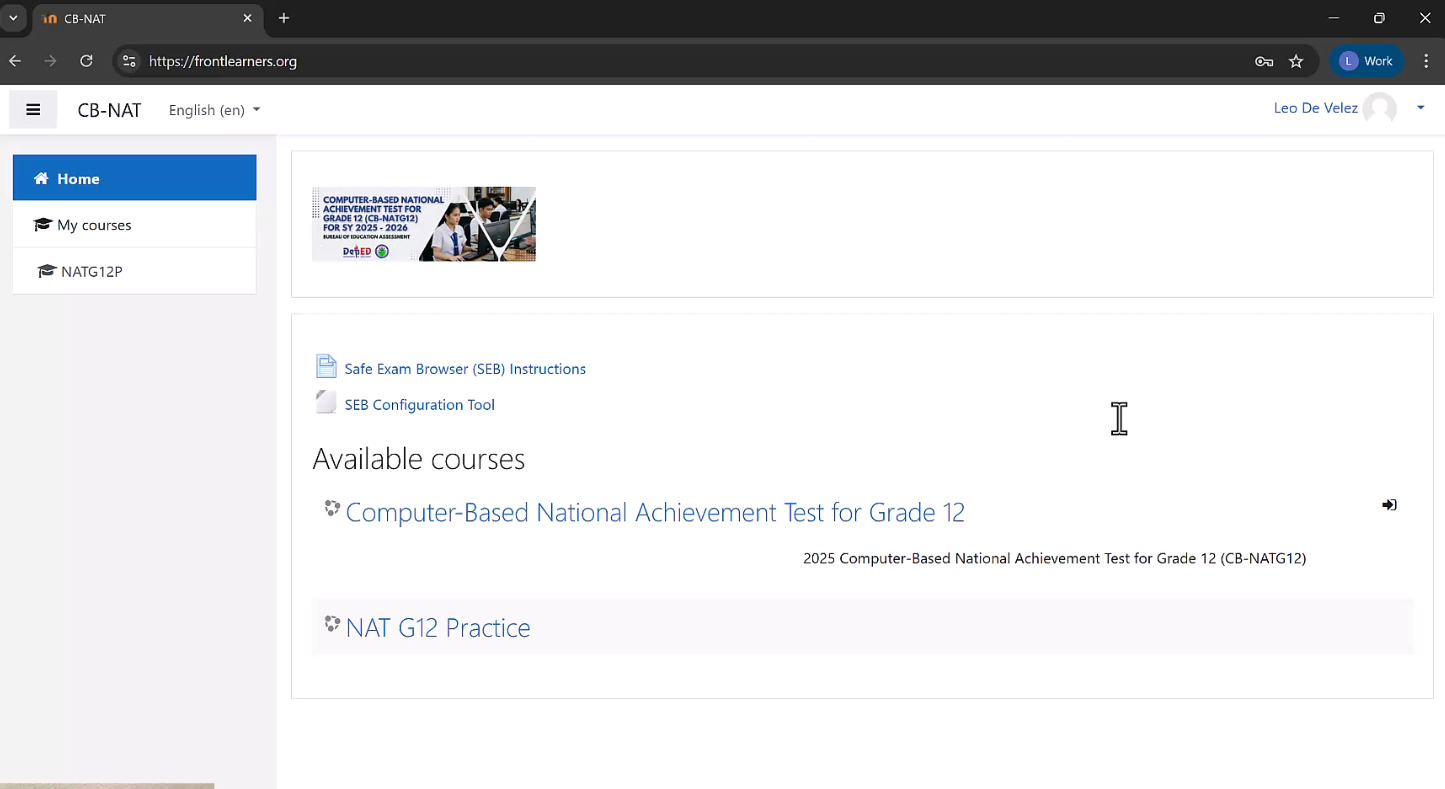
Use the login credentials provided at your desk to access the CB-NAT platform.
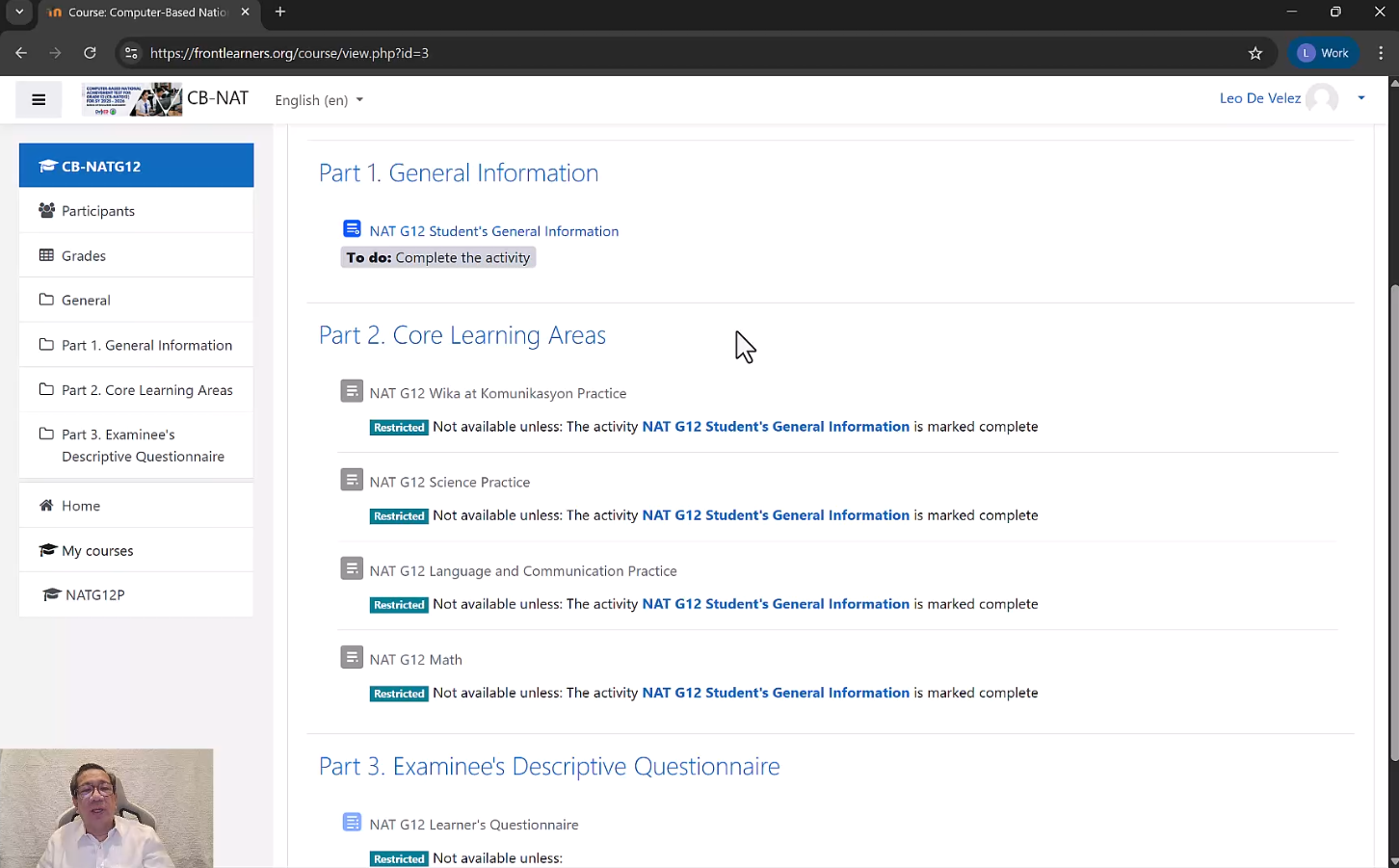
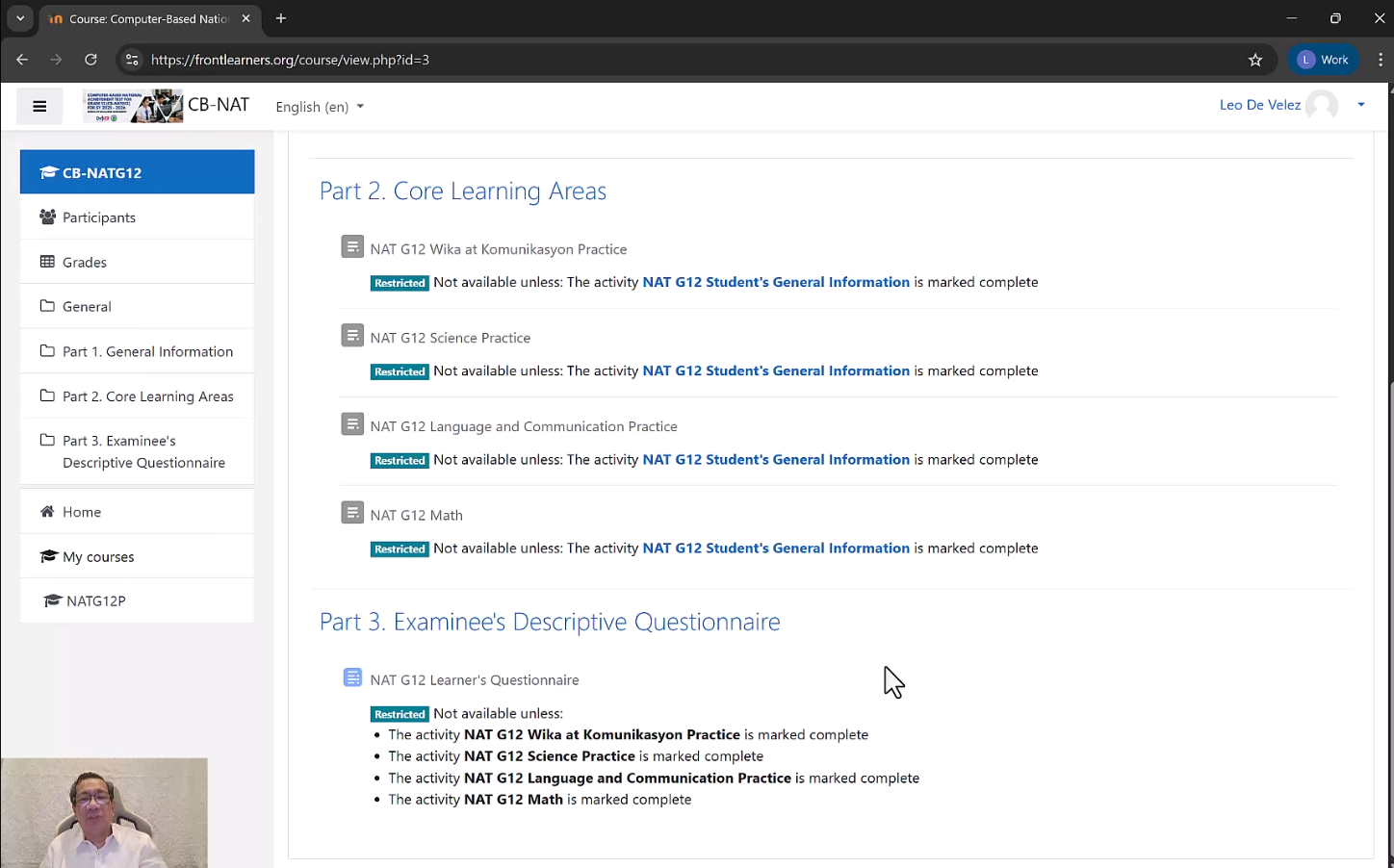
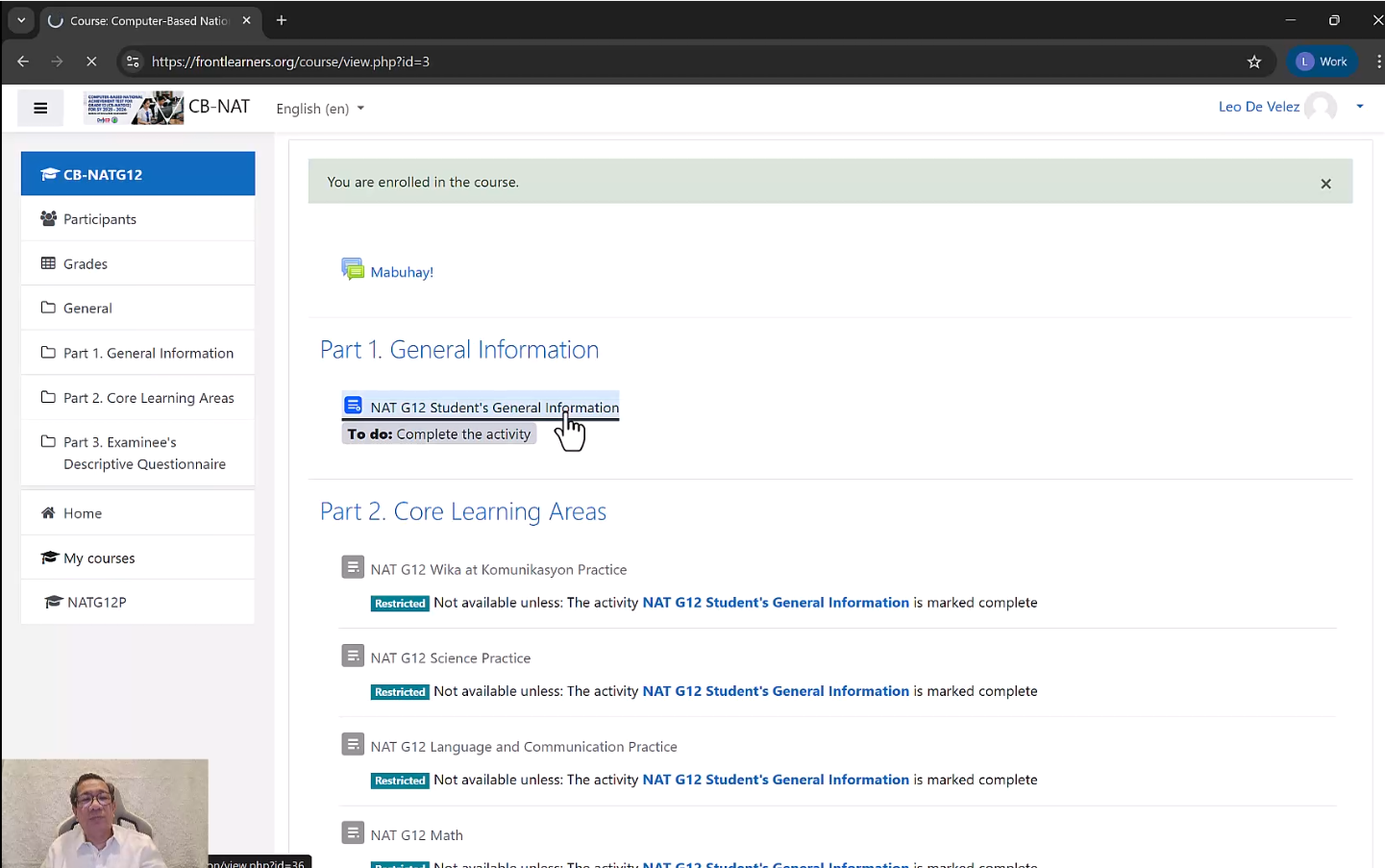
The course page shows all three parts of the CB-NATG12 with activity status indicators.
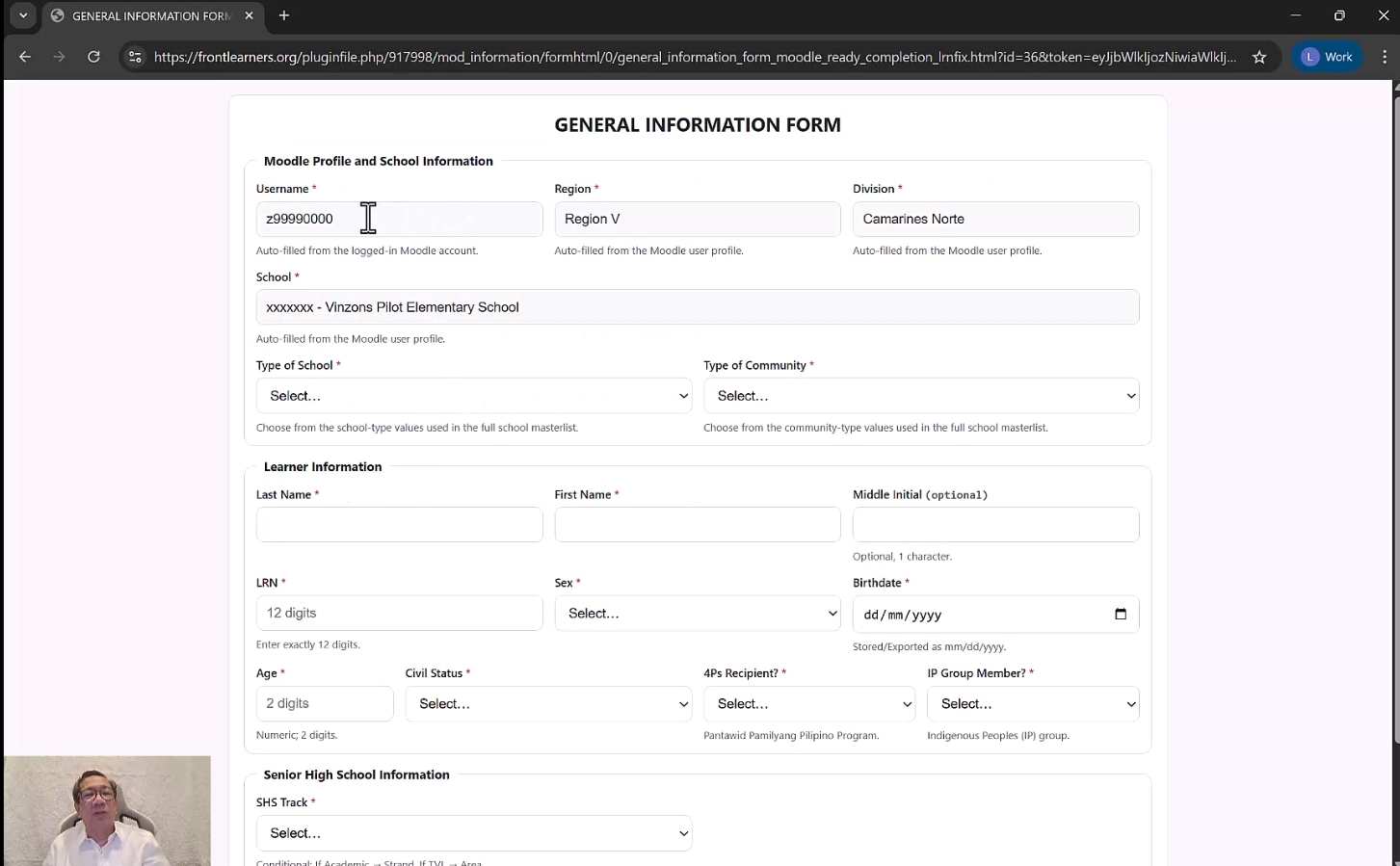
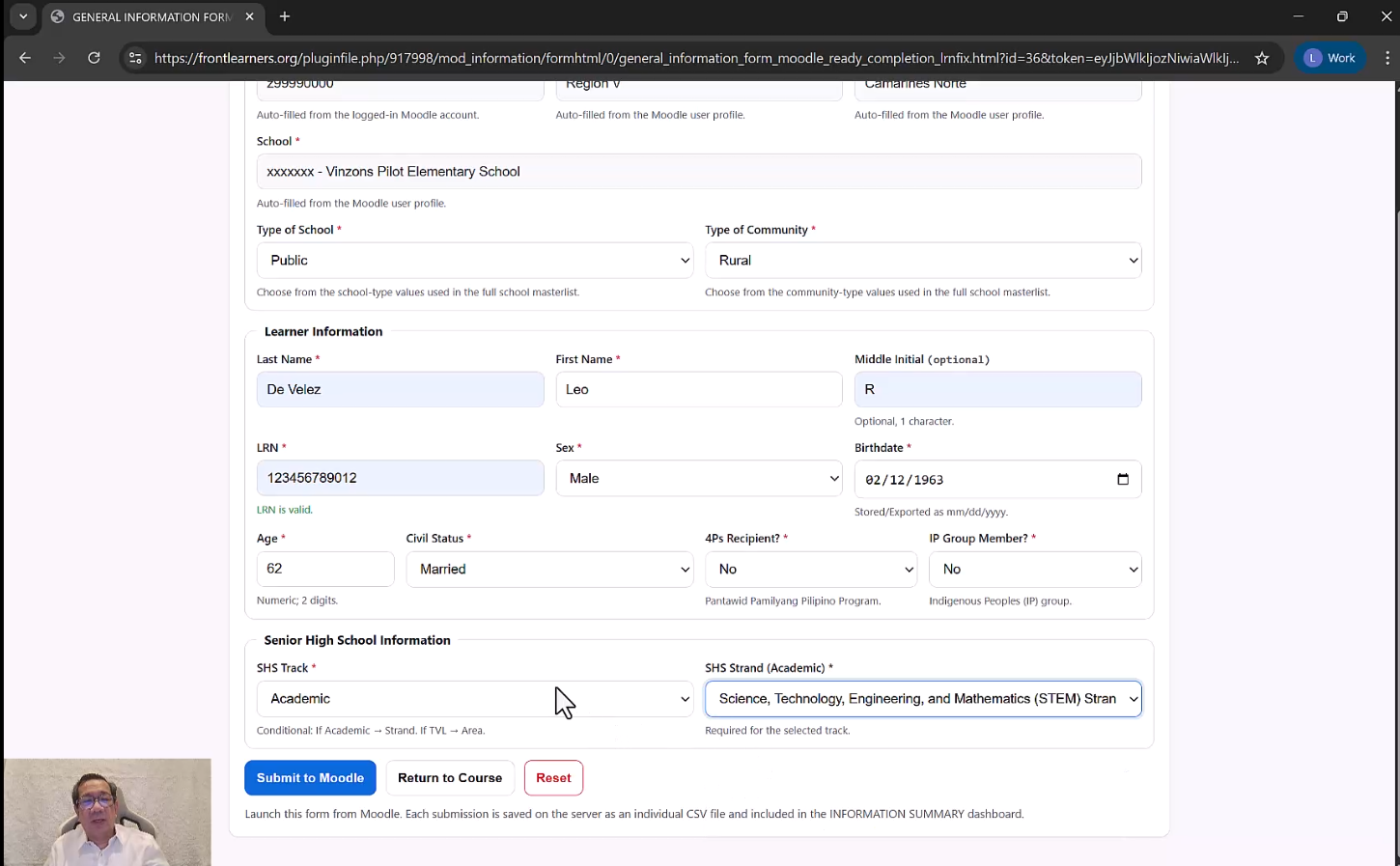
Click on "NAT G12 Student's General Information" and fill in all required fields.
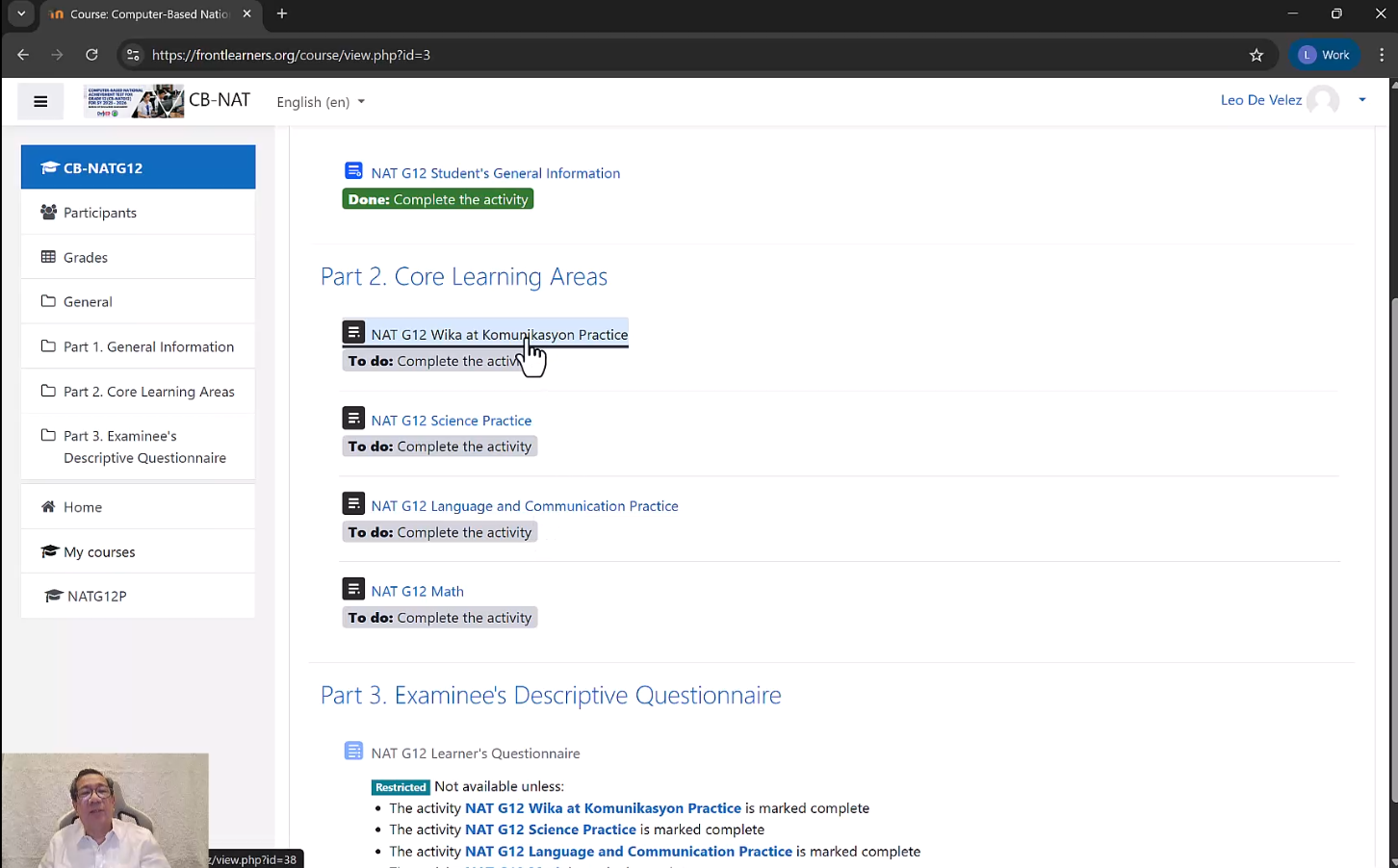
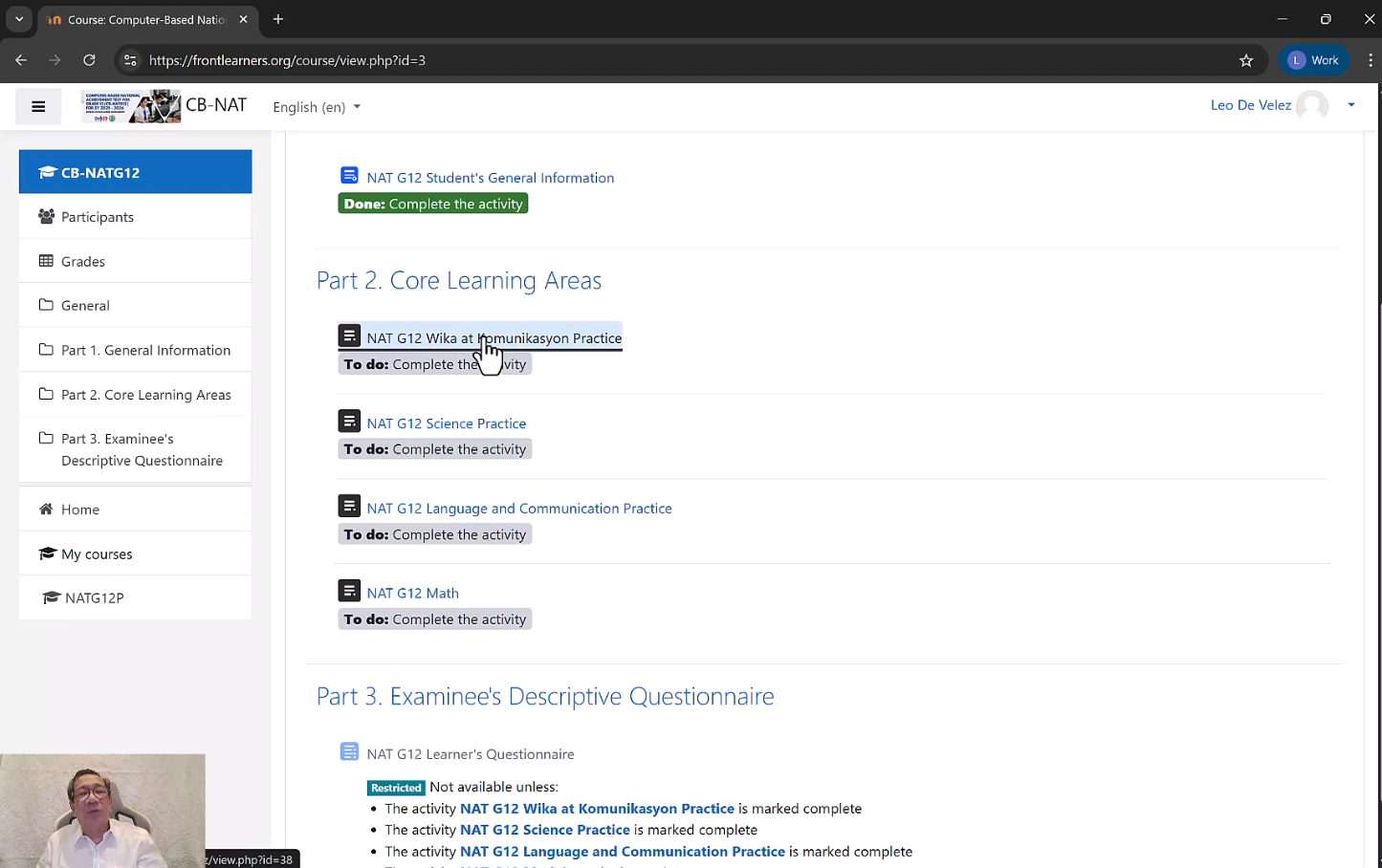
Complete four subject exams. Click on each activity to begin.
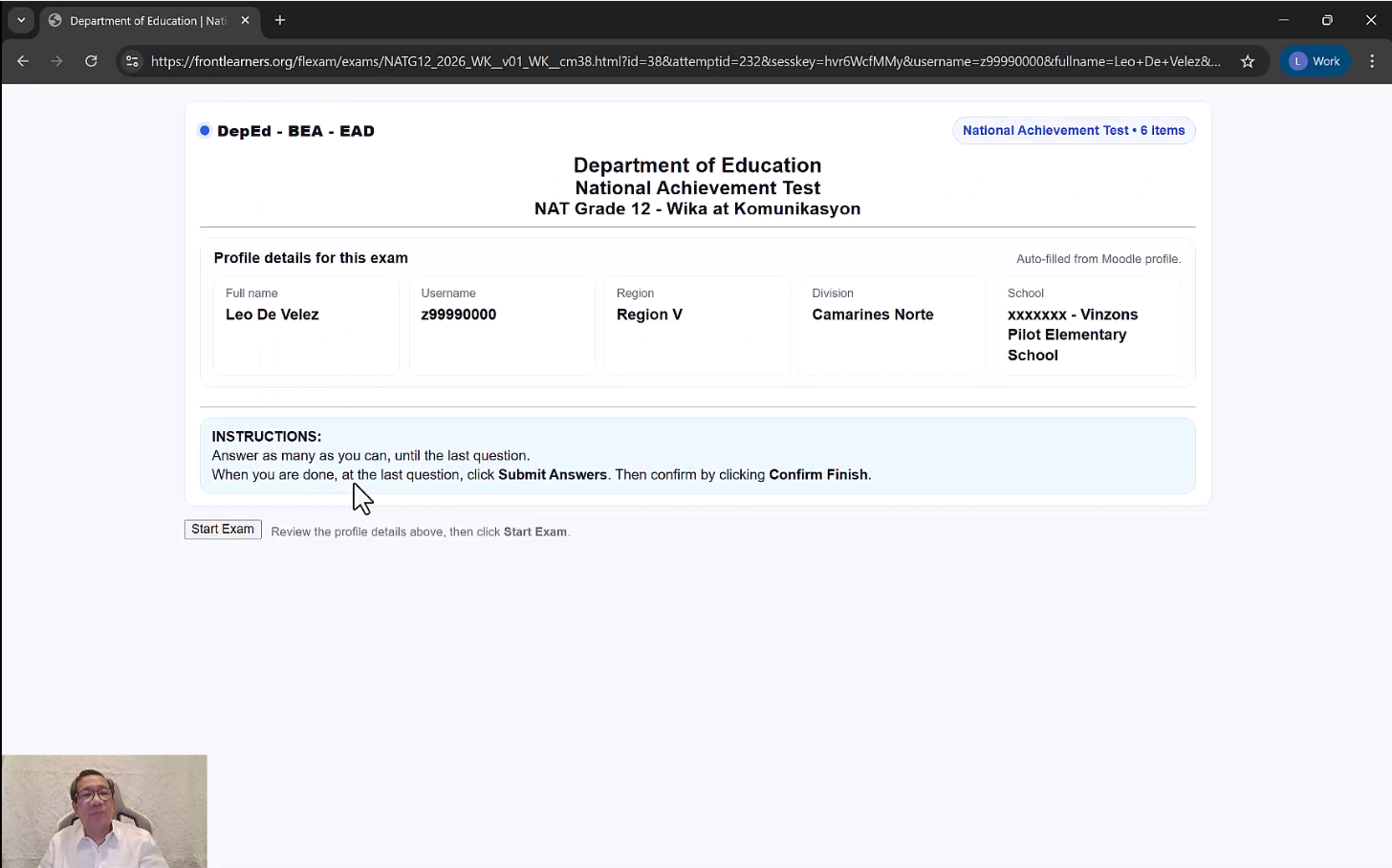
Review your profile details, read the instructions, then click "Start Exam".
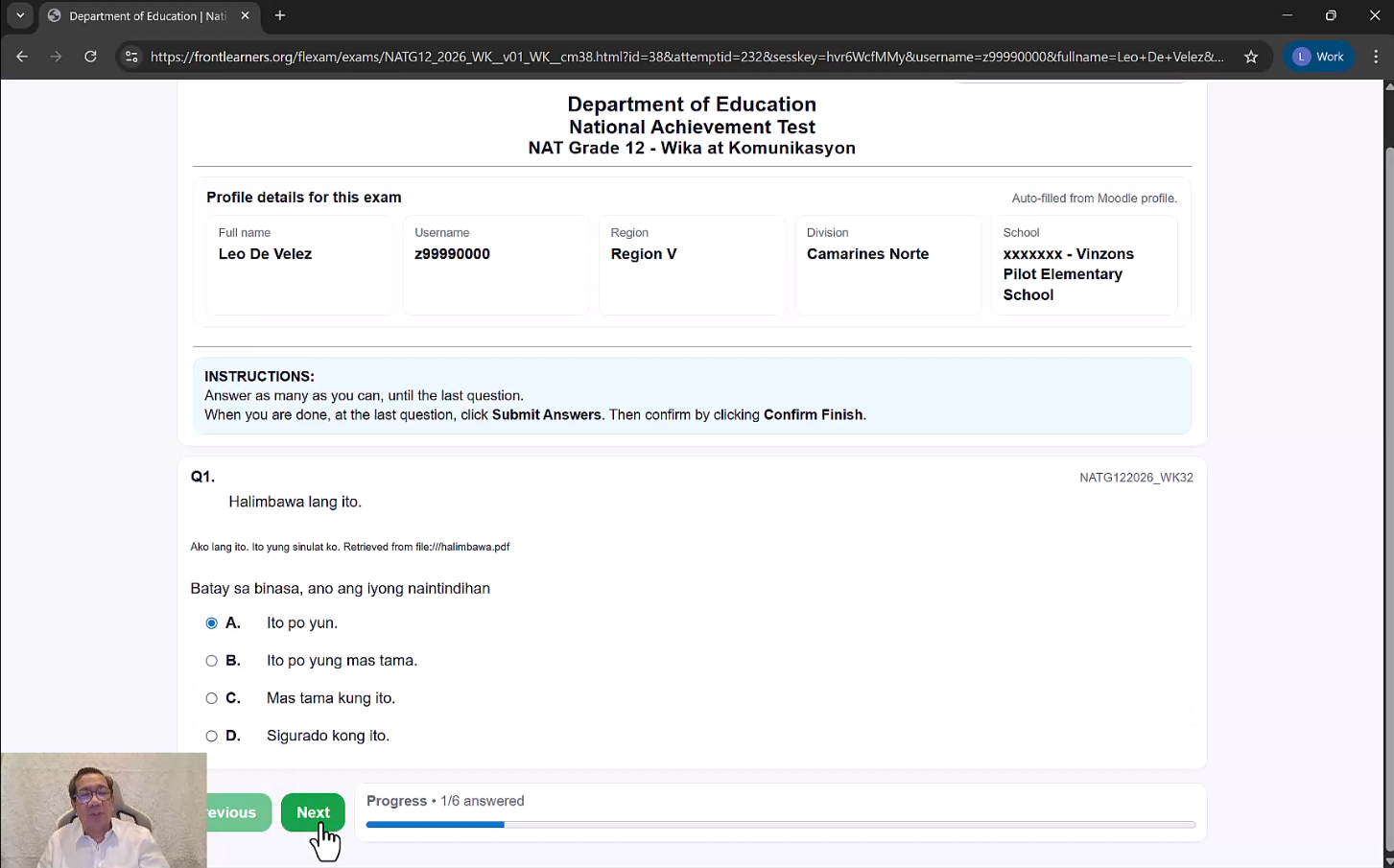
Select your answer (A, B, C, or D) and navigate using Previous/Next buttons.
After completing all four exams, your course page will show "Done" for each:
Complete the 40-item questionnaire across 5 sections. Answer all items honestly.
Questions include single-select options and Likert-scale tables:
When all 6 activities show "Done" status, you have successfully finished the CB-NATG12.
You have completed the CB-NATG12. Please wait for further instructions from your Testing Administrator before leaving the testing room.
Good luck on your National Achievement Test, examinees!
DepEd – BEA – EAD | CB-NATG12 | SY 2025 – 2026